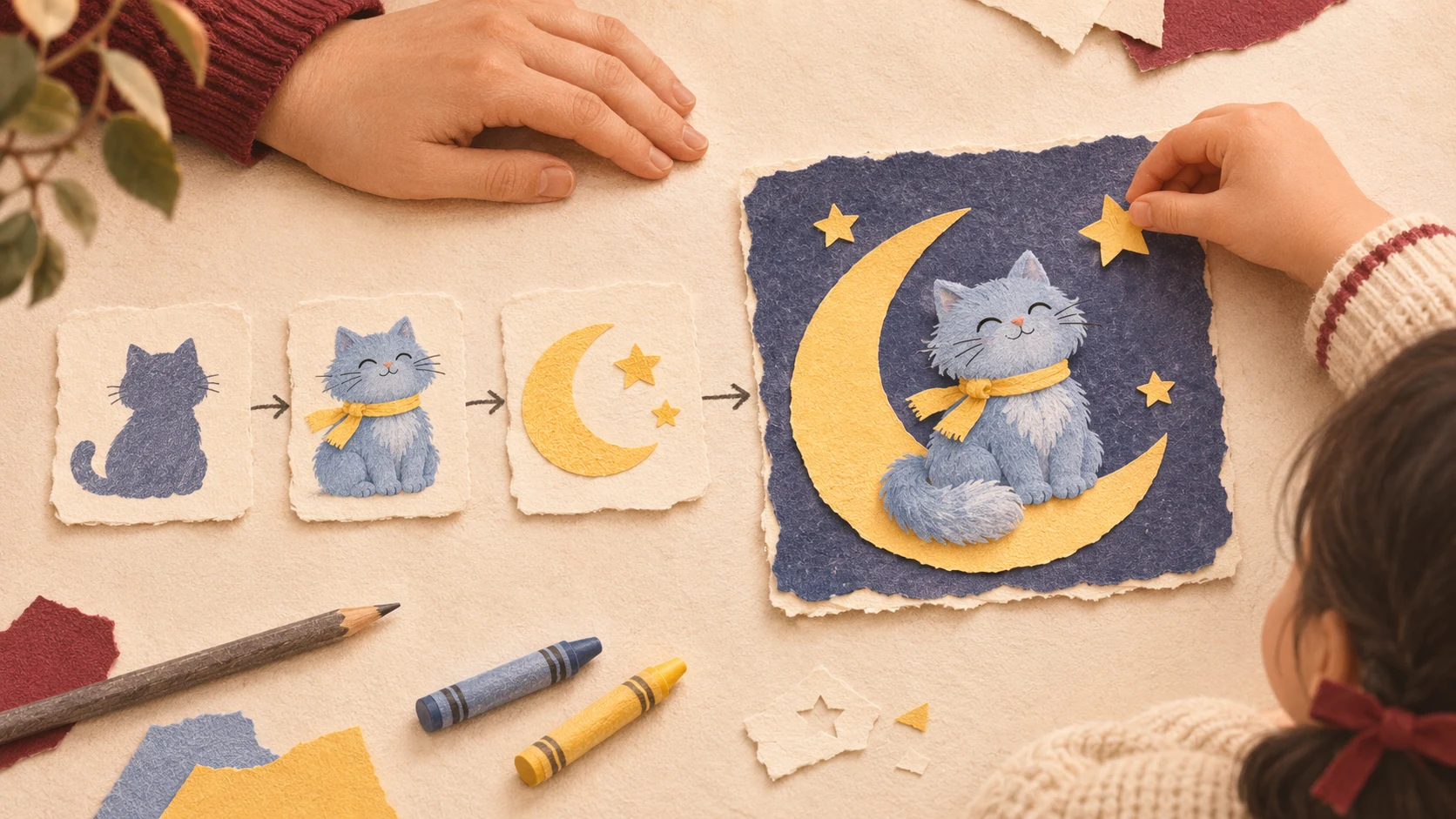
Imagine a child wants to make a small card for a friend and asks an AI to "draw a cat." The picture comes out, and the cat is lovely—but the child shakes his head: what he wanted was a fluffy blue cat, wearing a yellow scarf, sitting on the moon.
The details that mattered most had stayed in his head all along.
It is easy for an adult to take over the keyboard and fill in the requirements. But if we pause first and ask the child to say "what's different from what you imagined," this small gap can become the starting point of a first lesson about AI. The child begins to sort out his own ideas, and begins to discover that working with a tool that generates content means putting your thoughts into words, then seeing how much of them the tool captured.
EvoClass's AI000, My Little AI Agent, is built around exactly this kind of ability. Across five themed lessons, the course takes children from recognizing AI in everyday life toward clear expression, dividing work among assistants, data and error correction, and finally human–AI co-creation with adult guidance. For parents and teachers, this path also offers a concrete way to accompany a child: start from one small thing right in front of them, and give technical concepts somewhere to land.
Telling the tool about the blue cat in your head
"Draw a cat" already expresses an idea, but it leaves many choices open: what color, what pose, where, and what else is in the picture?
In the prompt-building exercise in Lesson 2, the course materials use "subject, details, setting" to help children organize a description. Who is the main character of the picture, what are its features, where is it—three questions turn a vague request into an expression that can be improved step by step.
Try following the example from the beginning. First let the child draw the cat in his mind, or dictate it for an adult to write down; then add "blue," "yellow scarf" and "on the moon" to the description one at a time. With each addition, go back and look at what changed in the result.
There is a pause worth keeping here: don't rush to tell the child which word to use. Ask him to point out the one detail he cares about most, even if it is only "make the scarf longer." Choosing what is worth changing is itself part of creating.
The course materials compare prompts to "magic spells," which helps children enter the scenario. While accompanying them, you can explain along the way that a prompt is in fact an instruction given to a tool: it helps the tool understand the task, but it cannot guarantee that every result will match expectations exactly. Children don't need to hunt for a single magic sentence; they can express, compare, and try again.
Even after saying it clearly, AI can still get it wrong
Suppose the description already specifies a "yellow scarf," but the scarf in the picture still comes out blue. What then?
At this point, attributing every problem to "you didn't say it clearly enough" would miss the other half of the learning. AI has its own limitations; more specific expression still requires checking the result.
AI000 carries this topic forward into data and feedback. In Lesson 4: How AI Assistants Learn and Improve, the course uses vivid analogies to introduce data, errors and correction. Children thereby encounter an important distinction: a tool giving an answer and an answer being trustworthy are two things that need to be observed separately.
Parents or teachers can add a small paper-based game: prepare several pictures of cats that look different, then mix in one picture of a tiger, and ask the child to find the similarities as well as the differences. What do the stripes, the ears and the body shape each tell us? When the clues are not enough, leaving "not sure" on the table is also a judgment with grounds behind it.
This activity does not require the child to actually train a model. It offers an entry point for understanding data and classification, and makes "spotting something wrong, then adding information" concrete. Whether a real AI product uses a single correction for future learning depends on how the product is designed; a change within one conversation does not mean the model has permanently learned it.
Back at the card, the child now has one more kind of response: "This part isn't right—I want to check it again."
How a small card becomes a collaboration task
When the child is ready to put a picture, a blessing and a sound together, the question changes again. What needs to happen first, and which parts can the tool help with?
The third theme of the course introduces the division of labor through AI assistants with different specialties. The fifth theme then ties together expression, choosing an assistant and feedback. In the human–AI co-creation materials for Lesson 5, "human as director" is the metaphor running throughout: the person sets the purpose, chooses the tasks, and checks the work that comes back. The materials also use a simulated project—a dinosaur party invitation—to give these steps an imaginable destination.
Carrying on with the blue cat card, you can also design a small co-creation activity. Let the child first decide who the card is for and what he wants to express, then choose whether it needs a picture, a blessing, or a sound. An adult helps operate the tools while the child takes part in choosing and revising; anything the tool provides should pass through this step.
For example, a blessing may read very smoothly but not sound like something the child would actually say. Changing it back to a simple "Thank you for playing with me" may be closer to what this card is meant to convey.
What is finally kept should be something the child can explain in his own words. Which picture is closest to what he imagined, which word he chose himself, where AI lent a hand—these explanations gradually turn a generated result into a work with personal intent.
Leave a little space for the child to decide
AI000 uses figures such as "little sprite," "assistant" and "director" to help children approach abstract concepts. Adult guidance matters too: the assistant on the screen is a technical tool; being able to respond to words does not mean it has human feelings or can always understand what a person means.
To begin, you can pick a theme from the AI000 course page that relates to the child's current interests. If he loves drawing, start by practicing description; if he is curious about "how does it know," observe examples and mistakes together. Combine talk, pen and paper, and screen activities, moving forward in segments suited to the child's understanding and attention, so that every attempt leaves room for discussion.
The goal of accompanying a child can be very small: to say one more detail today, to point out one result he isn't happy with, or to explain one of his choices.
When the blue cat finally sits on the moon, that card is certainly worth showing off. It is also worth hearing the child tell where it came from: what he first wanted to draw, what he changed later, and why he chose this final version.
The picture is finished—and his expression of his own ideas is a little clearer than when he started.
This article is based on EvoClass's current AI000 course introduction and materials; the blue cat card and the paper-based classification activity are illustrative examples meant to aid understanding. The lesson links in this article point to English-language materials, and parents or teachers are encouraged to read, retell and operate them alongside the child. Visitors may browse the course materials; full features such as the AI tutor require signing in.